First time texturing a car, how do I texture the wheel?
Posted Jul 21, 2019, 11:29 PM UTC
17
Posted Jul 21, 2019, 11:29 PM UTC
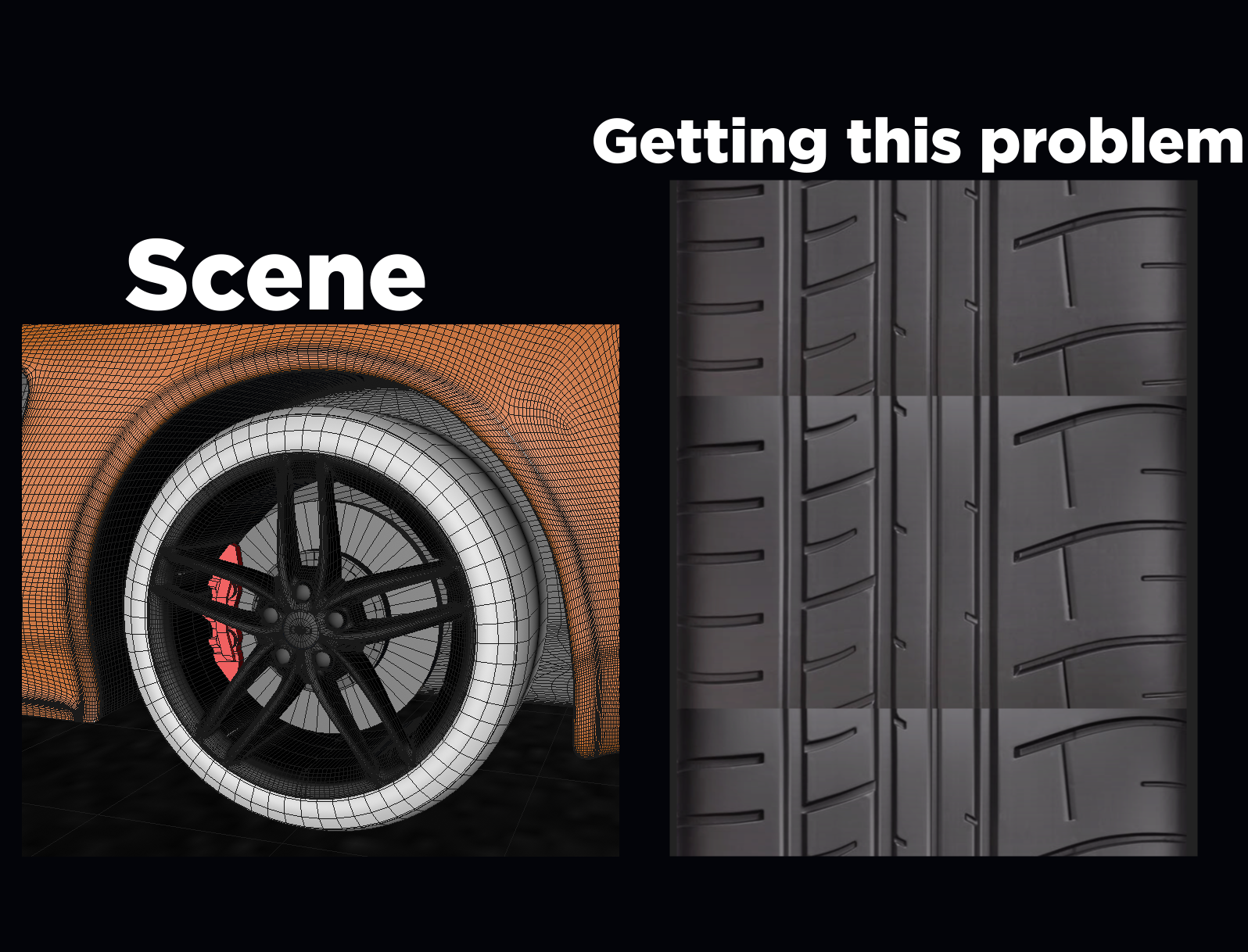
So it's my first time texturing a car and I had no idea how to start on texturing the tire
I had the idea to take a picture of a tire and crop it and make it repeat itself vertically, but on trying that I ran into the problem that the lighting doesn't match at all and can't find another picture that has better consistent lighting
So I turned to reddit to ask the extremely talented Cinema4D community in hope for some help
Thank you in advance
Find a tutorial on making a rubber material, then find a pattern of tire treads to use as a bump map. Something that tiles and is a black and white image without shading. Similar to this https://www.vectorstock.com/royalty-free-vector/tyre-or-tires-tracks-or-patterns-of-cars-or-trucks-vector-20696187
Oh wow I haven't even thought of that! That's genius thank you very much!
It’s more than just the lighting, the notches aren’t lining up either. But as far as the lighting, you’d probably want to just brush it up in photoshop to get it even.
Yeah I didn't bother with alligning since I saw the lighting wasn't good But I'm a complete beginner with photoshop and i'm not rlly sure how I'd go on about doing something like that Could you link any tutorials or something?
Thank you for your response
I dunno of any tutorials for this exact thing, but a way that might work is to use the clone stamp. Sample from the darker edge of the tire, then paint on a separate layer with the blend mode set to darken.
Thank you, i'll try it!